Behind the game
Behind the Build of Super Truck Rally
The playtesting, tiny adjustments, and many, many iterations behind Super Truck Rally.
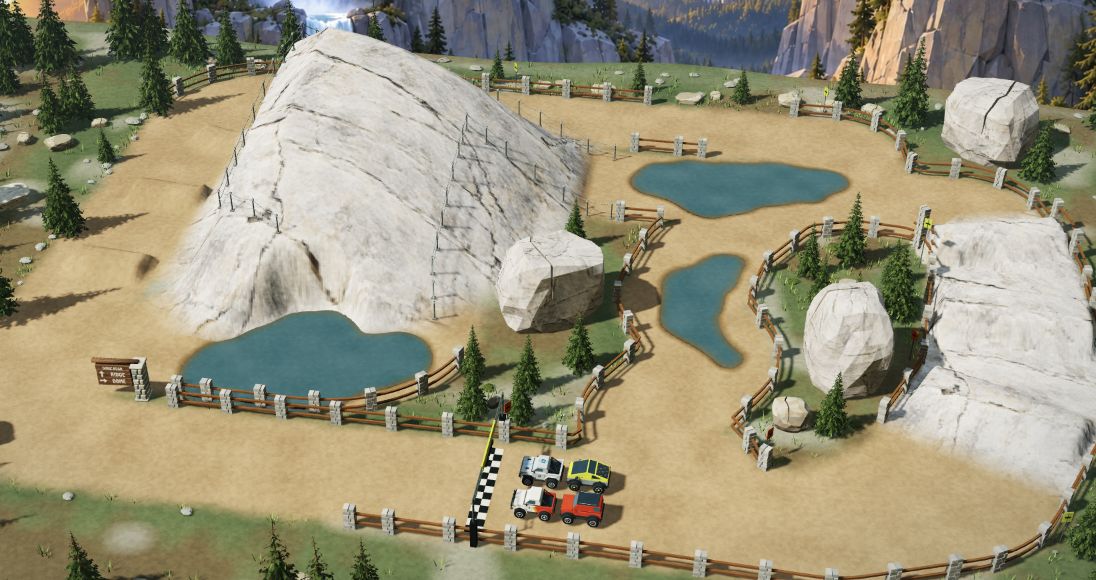
I've been seeing all these amazing “one-shot” AI games on Twitter lately. Models like GPT 6 Astra and Opus 5.5 are trained to excel at 3D modeling, so their ability to use tools like Blender and make 3D games is impressive, even with just one prompt!
The post usually says something like "Look at this crazy one-shot game I built," with a very cool video of the game. It implies that all game development is so easy that anyone can do it and that the art and craft of individual developers and designers are no longer needed.
Well, I decided to give it a try.
One of my favorite arcade games growing up was Off-Road. I absolutely loved the overhead view of the races and those free-spinning steering wheels. It had something special about it that the other third-person racing games lacked.
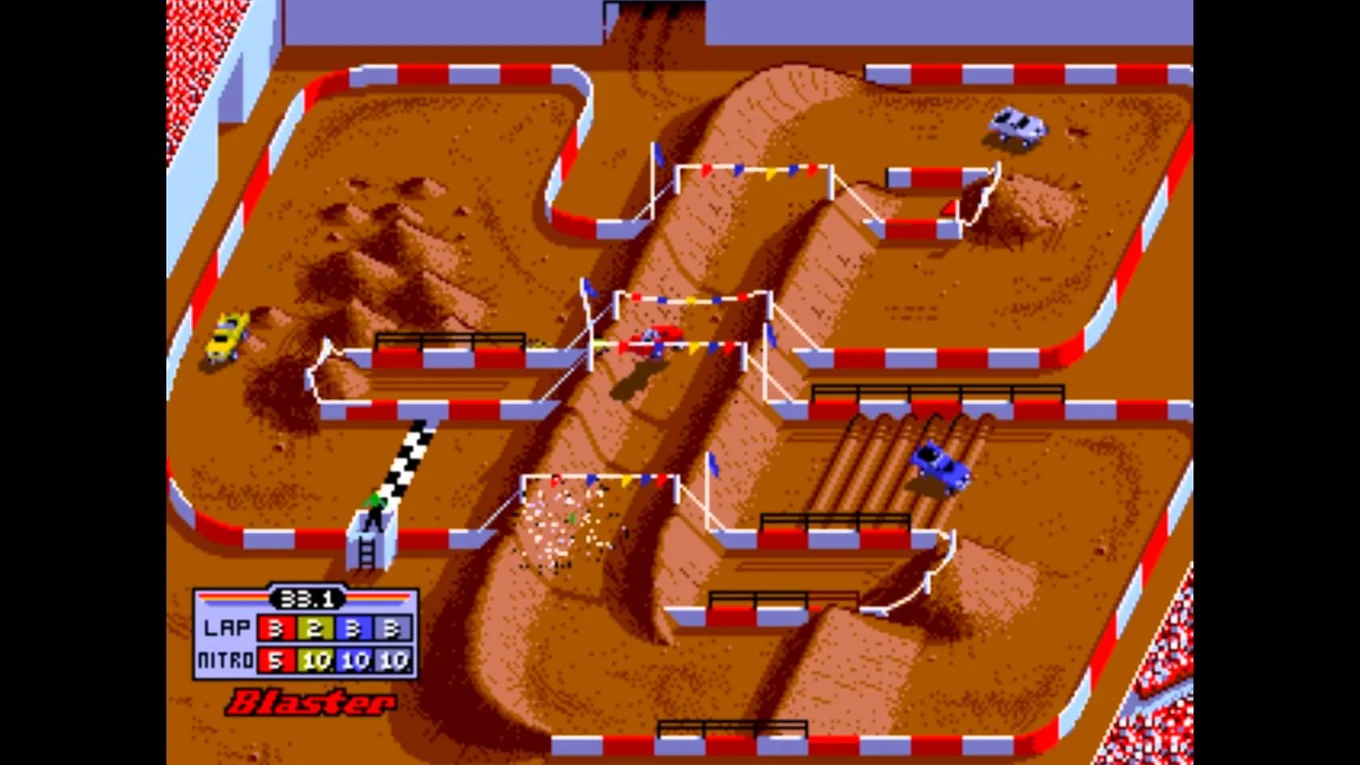
So I decided to build a game inspired by it (and Super Sprint). I wanted those trucks, sliding corners, jumps, collisions, mounds, water, and nitro boosts. I also do a lot of arcade modding, so getting this game working with real arcade wheel controls was a big part of my vision from the start.
I started with a very detailed spec for a miniature RC-style race and my preferred tech stack: Rust, WASM, and Rapier for rigid-body support. And the output was pretty awesome, very fun, and very playable. I definitely had something here. But the game was nowhere near the level of craft, delight, and depth I wanted before sharing it with others.
What resulted was iteration after iteration after iteration. A “one-shot” game turned into hundreds of “shots.”
The following is a short recap of that journey…
Getting the trucks to feel right
You can easily write "responsive steering and convincing jumps" in a spec. Then you drive around a corner and realize you have a lot of work to do.
I kept changing the physics, driving the same course, and discovering that an improvement on one stretch made another worse. I even watched a bunch of gameplay videos of the Off-Road arcade game itself to better capture the “feel.” At one point, I revised how vehicle forces followed the road to preserve the arcade handling while improving suspension on ramps.
An awkward landing could involve the ramp, suspension, collision geometry, or approach speed. And it was very possible to jump completely out of the course (it’s better now, but still possible).
Playtesting also exposed a lot of questions about checkpoints, shortcuts, and resets. Where should a flipped truck reappear? Does a shortcut count fairly toward the lap? (I kinda did want some non-obvious shortcuts so players could “cheese” it.)
The engine and those small decisions determine whether the game feels janky or consistent enough to learn and enjoy. AI can’t do that.
Obsessing over the details
My son enjoys building too, and we worked on the game together. A lot of the truck, course, and level design came from our collective imagination.
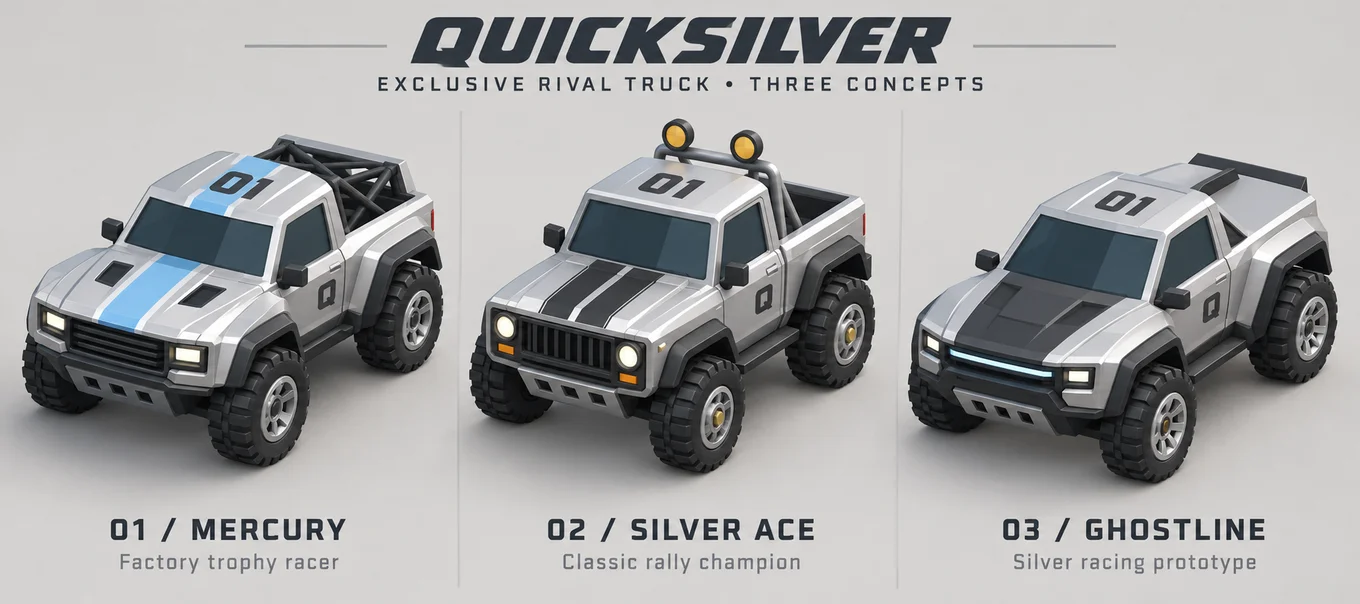
We cared about every truck's proportions, paint, and appearance in the garage, on the track, and on the podium, doing multiple iterations. We wanted to bring in more types of trucks like a Jeep, an SUV, a Humvee, and even a monster truck. The truck for the main racing rival, Quicksilver, went from three concepts to a Blender model and then a game asset. Even then, wheel pivots, lighting, and readability at racing scale needed attention. It was a grind.
Many of the off-road tracks were inspired by the originals as well as some of the Super Sprint ones.
But the national park courses are mostly original designs. We love Yosemite and the redwoods of Northern California and wanted to bring those landscapes into the game (along with the rolling hills of Wine Country).
Every level went through pass after pass. Nudging a tree. Obsessing over a texture. Shifting a track dimension by a few pixels in the view. Smoothing roads, widening turns, improving backdrops. We experimented with bringing in image backdrops and textures alongside the 3D models to make it look even better.
For background music, I generated dozens and dozens and dozens of candidates using Suno.ai before choosing the small set in the game. I wanted something about each level to surface in its soundtrack. A bit of surf rock, some rockabilly, some country, or some cowpunk. A song could sound great by itself and still feel wrong for that course. The listening, rejecting, and trying again were a substantial part of the work.
I also tried hard to generate sound effects with AI (since code-generated sounds are pretty awful). Even after lots of attempts with ElevenLabs and Suno, I just couldn't get the clear, short sounds I wanted (about 0.5 to 1 second). I ended up buying an existing sound effects pack and using some of those sounds in the game (and keeping some of those original, though non-ideal, sounds).
Making people want another race
Games also need UI design, so this project stretched my product design skills. Choosing a course, picking a truck, starting a race, and finding the next one all needed to feel easy. I tried different menu layouts, grouped courses into circuits, and tightened the race header to leave more room for the track.
I’m not a designer, so my workflow was more about prompting variations and iterating. I started by having AI code options, then moved toward having it generate an image for each option, and finally a single image showing multiple options. That was a lot faster, maintained my game’s design system better, and kept token usage efficient. I do a lot of this in Figma these days.
I also wanted moments of delight: the finish effect, your truck on the podium, the in-game billboards, entering arcade-style initials after a great time. That sequence mattered as much as the individual features. I also added mobile controls at one point, but to be honest, it’s not great on mobile and likely won’t be. The tight controls just don’t work, and this game is all about that overhead view to see the whole track.
Arcade controls
Making a fun computer game is fine, but the original vision was to build something inspired by Off-Road and that game’s free-spinning wheels, which make it so unique.
I have a FightBox retro controller with a spinner, so I spent some time wiring up the game to this device, handling button mapping, and most importantly, tuning the spinner sensitivity. And there’s definitely no way to do this without actual hardware. I had to feel what was wrong and adjust it.
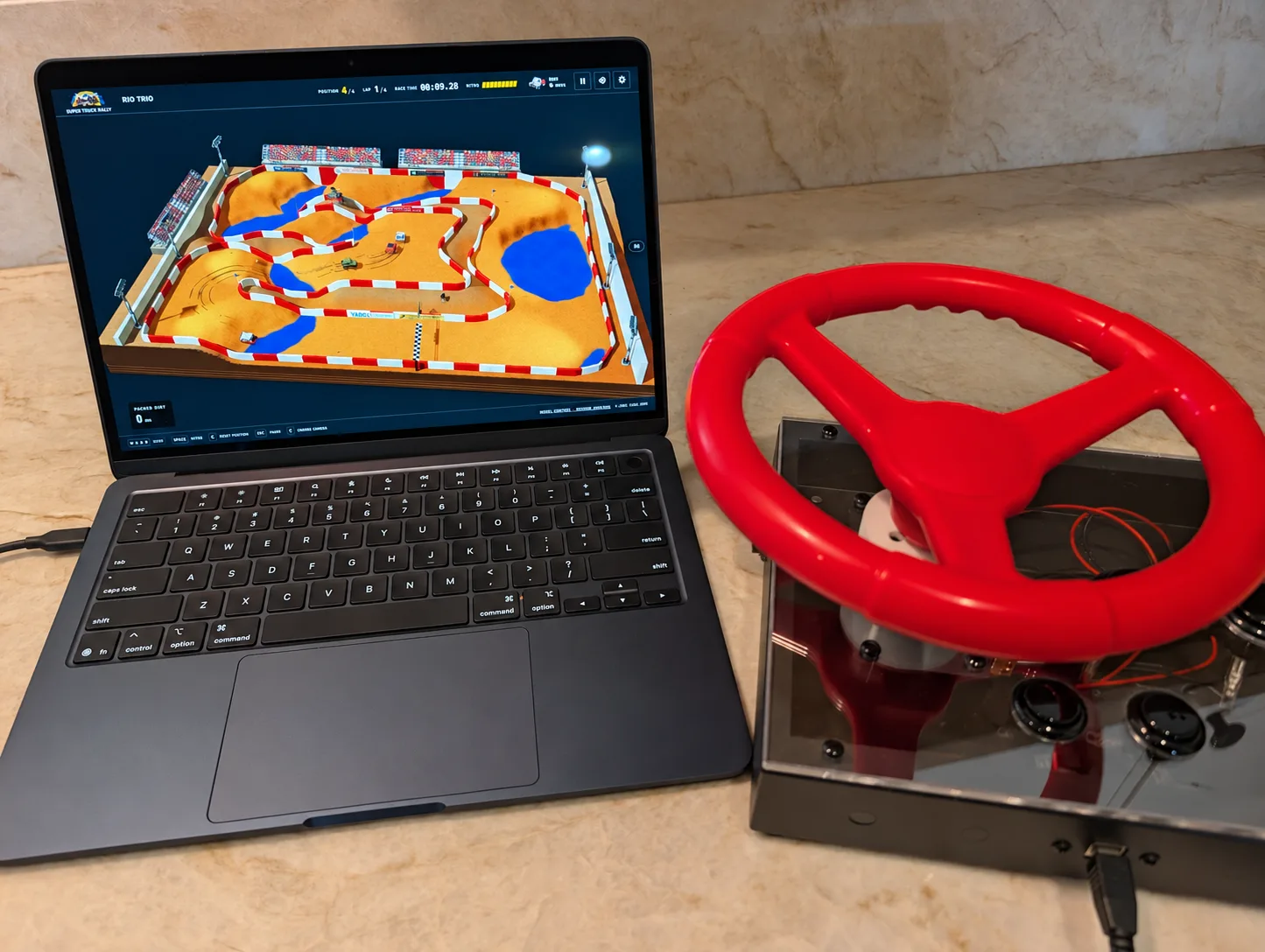
Eventually, I want to install the game and controls in one of my existing arcade cabinets (with some woodworking and 3D printing likely to come). My favorite projects are combinations of software and hardware. Stay tuned!
Engineering fundamentals are still needed!
Vibe coding often does not produce super well-architected, modular code. I had to keep an eye on some of the code that AI was producing for the game. And it was pretty clear it was trying to merge the game engine, level design, and different assets. And when everything's merged like that, it takes AI so much longer to find the right context for subsequent edits. So I had to really lean into my engineering experience to ensure the architecture and rendering were optimal.
To scale up level creation, I ended up building a level editor and extracting a lot of details for each level, like road width, border radii, and elevation, which AI really struggled to keep consistent.
And once this game had leaderboards, I had to think through data storage, server approach, and then reliability, scale, and security.
These are the parts of any game or app that users definitely don’t see but are as important as anything else for keeping things running smoothly.
AI is amazing, but that human touch is still required
This project really stretched my skills. I had to go deep on art, music, sound, product design, engineering, and game design. AI definitely did “the work” but was nothing without deep understanding, significant steering, and all those iterations. Care, craft, and delight are something you feel.
So, to summarize: yes, it’s super impressive what AI can do with one single shot. It shows you what’s possible and gets you that much closer to your vision. But let’s not pretend a good game or app will be completely generated by AI. It still needs deep expertise and obsession to make something useful.
Besides, if everyone could make something amazing with little work, then what they create would no longer be special. Creating something special, unique, and differentiated likely won’t come from AI itself. Humans are still the frontier for creative domains.
Development timeline
Want to see the steps that got the game here? Here's a recap of the whole process. It took many, many shots (and a lot of deep obsessing over art, physics, music, product design, and engineering).
-
The first playable game
I captured the game spec and an initial Rust, WebAssembly, and WebGPU racer, with Dust Bowl as the first course.
-
Giving the trucks a sound
I added procedural driving audio and background music, then made crash audio respond to impact strength.
-
Making ramps and lap counting dependable
I adjusted the probes that detect ramps, expanded incline tests, and corrected race progress when trucks slid wide or reversed. I also reduced repeated track queries.
-
Keeping the race and results coherent
I improved static rendering, audio state handling, and race menus. Finished trucks kept cruising while the remaining racers completed their laps, and the results display became more stable.
-
Building a truck lineup and trackside assets
I built out the vehicle lineup, added the angular Ion truck, and introduced selectable paint colors. I also made Blender-authored paddock trailers and racing flags.
-
Building and revisiting Redwood Run
I added the river, redwood forest, shortcuts, and timed moving wall. A follow-up refined the boardwalks and corrected how race progress worked through the course.
-
Creating Sunset Mesa's desert setting
I built the Southwest course with sandstone formations, arches, desert scenery, and its own road layout.
-
Starting Blaster's stadium course
I added the course originally called Dirt Arena, with Blender-made pennants and stadium scenery, and refined ramp handling alongside it.
-
Separating the engine from the game content
I split the engine, levels, and browser screens into clearer parts and made race settings consistent across them.
-
Teaching opponents to race in traffic
I revised passing, pacing, nitro use, and avoidance so opponents could clear blocked starting grids and navigate around other trucks.
See allShow less
-
Making Blaster's suspension follow ramps
I applied slope-aware suspension across ramps and checked it against the stadium course.
-
Building out Blaster's stadium
I added warm spotlights, refined terrain and walls, expanded water hazards and driving lines, and added sponsor banners and grandstand detail.
-
Making more of the course visible
I moved the race setup menu, made garage selection state accessible, and added a chase camera alongside the overview.
-
Inspecting checkpoints and reset positions
I added a debug view showing checkpoint placement, progress, and where a stuck truck would reset, making those rules easier to inspect.
-
Adding boulders and barriers to Dust Bowl
I added boulders around the original course and support for lower barriers.
-
Simplifying the growing application
I reorganized application responsibilities and documented shared vehicle and content-authoring conventions.
-
Creating the finish celebration
I added immediate finish feedback with sparks and cruising trucks, simplified the race HUD and results, and built the Sunset Victory Lane podium ceremony.
-
Refining trucks and their drivers
I revised pickup-bed geometry, corrected driver and steering placement, removed seated drivers from podium renders, and replaced Haze's body with a Humvee-style model, now called Combat.
-
Stopping an opponent reset loop
I fixed stalled opponents repeatedly resetting without making progress.
-
Refining Blaster's boundaries
I added excluded road zones, improved barrier rendering, and placed another set of sponsor banners.
-
Building a course around elevation
I introduced the raised stadium terrain and features of the course first called Huevos Grande, later Big Air and then Grande Air.
-
Building the visual level editor
I added editable course previews and tools for broad elevation areas so I could reshape courses through a visual interface.
-
Expanding how roads could be authored
I added bridges and underpasses, editable corner radii, variable road widths, and the ability to open course copies from the selector. I then replaced the initial turn-area approach with point-based border radii.
-
Revisiting the suspension model on Grande Air
I unified physics across drivable surfaces, then revised that approach to preserve the established arcade acceleration and steering. I also made banked tabletops follow the local road width.
-
Sharing and caching road geometry
I unified wall painting and slope-aware barriers, simplified barrier endpoints, cached track geometry, and reused road paths in the editor.
-
Reworking Redwood Run's shortcuts
I changed the shortcuts to dirt and moved river behavior into a shared example that could support later authoring.
-
Building the flyover course
I added the asphalt layout, slab bridges, and camera options under its original name, Asphalt Interchange. It later became Road Sprint, then Asphalt Overpass.
-
Giving courses different soundtracks
I assigned separate race music to Redwood Run, Grande Air, and Asphalt Overpass instead of treating the soundtrack as one global choice.
-
Refining Asphalt Overpass's driving and crossings
I added oil-spill handling and asphalt skid visuals, refined the course workflow, fixed flyover barriers, and reduced scene-asset memory.
-
Adding terrain and water authoring
I introduced terrain sculpting and watercourses, then refined bridge geometry and raised height limits. The work included a Mesa Falls prototype alongside Sunset Mesa.
-
Adding two landscape courses
I introduced Copper Canyon and Twin Butte Crossing, the courses that became Grizzly Gulch and Thunder Falls, bringing more complex landscape and bridge settings into the game.
-
Consolidating the growing codebase
I refactored application components, removed obsolete code, and simplified simulation and editor validation.
-
Rounding obstacles in Blaster and Grande Air
I added rounded moguls and reduced the work needed to sample road edges.
-
Revising Thunder Falls' waterfall
I improved the water and foam geometry while the course was still called Twin Butte Crossing.
-
Settling on clearer course identities
I reordered courses and renamed Copper Canyon through Granite Valley to Grizzly Gulch, Twin Butte Crossing to Thunder Falls, Huevos Grande to Big Air (now Grande Air), and Asphalt Interchange to Road Sprint (now Asphalt Overpass). I then aligned their internal level IDs.
-
Clarifying the race setup
I revised camera labels and simplified the setup interface.
-
Adding variety and a pickup mechanic
I gave opponents seeded truck appearances and added blue nitro canisters that racers could collect, with a visual burst on pickup.
-
Refining Thunder Falls' bridge hazards
I optimized the course geometry and adjusted hazards around its bridge crossing.
-
Rethinking scenery delivery and graphics settings
I loaded scenery on demand and strengthened decompression. I added graphics-quality controls, then removed that toggle in favor of a standardized rendering resolution.
-
Developing Grizzly Gulch's scenery
I enhanced the course's scenery and how it rendered after its new identity was established.
-
Introducing public leaderboards
I added versioned leaderboards and adjusted nitro pickup timing, bringing persistent public race results into the project.
-
Adding the arcade initials flow
I added post-race initials entry and a local leaderboard API, then removed vehicle labels from leaderboard entries to simplify the display.
-
Building out Big Dukes' lake-jump arena
I added rectangular water basins and corrected crossing-wall openings, then developed the whoops, ponds, mud, and larger arena. I tuned nitro pickup behavior alongside those changes.
-
Reducing geometry and cleaning up the editor
I indexed repeated scenery vertices and replaced text and symbol controls in the editor with consistent icons.
-
Naming the game Super Truck Rally
I rebranded Dirt Circuit as Super Truck Rally.
-
Creating and tuning Sidewinder's split-height stadium
I built the course originally called Split Shift, with its left side raised above the right. I then refined the incline and opponent driving and optimized arena preparation.
-
Building the granite dome course
I added alternate routes up and down the granite dome, pools, and jumps. The same change fixed indexed glTF attribute decoding and expanded course music assignments, including Reckless Riff for Dome Rush.
-
Making the park circuit labeling consistent
I standardized the National Park circuit label across Dome Rush, Grizzly Gulch, Redwood Run, Sunset Mesa, and Thunder Falls.
-
Correcting forest and waterfall geometry
I fixed Redwood Run scenery and the waterfall geometry inherited from Thunder Falls' Twin Butte assets.
-
Returning to Redwood Run's forest and moving gate
I improved the redwood scenery and water clearance, then added the sawmill hoist that gives the timed shortcut a more concrete place in the environment.
-
Refining Dome Rush's granite and course edge
I customized the granite scenery and adjusted the edge of the dome course, which still used the internal ID cliff-run.
-
Refining selection and editor panels
I adjusted the course-selection menu and improved responsive editor layouts and shared panel styling.
-
Adjusting rails and terrain
I refined Sunset Mesa's guardrails and Thunder Falls' surrounding terrain.
-
Aligning Thunder Falls' roads and bridge landings
I shared runtime road-surface definitions, optimized terrain rendering, refined bridge-rail landings, and improved the workflow for the course's authored assets.
-
Building Triple Shift's three-gate course
I added three timed shortcut gates with staggered phases, creating optional routes through the asphalt circuit.
-
Connecting the FightBox arcade controls
I added spinner steering and arcade-button support, along with input checks for the new control path.
-
Applying the game's visual identity
I refreshed the favicon, brought the showcase into the Super Truck Rally branding and palettes, and clarified the accent-color naming.
-
Tuning arcade setup and labels
I improved arcade input handling and documented the settings, then refined the wheel setup controls and labels.
-
Starting a new asphalt course
I added Bowl Sprint as a hidden course and refined the race-input interface while it was being developed.
-
Experimenting with driving modes
I introduced experimental arcade handling and clarified the mode descriptions. Later that day I tried an additional beta mode, then folded wall rebounds into the standard modes and retired the extra option.
-
Refining the route from setup to the next race
I added an auto-fit arena camera, fixed nitro-bar sizing and keyboard focus, and refined branding and course framing. I simplified finish feedback, clarified Change Level actions, estimated the last finisher for the podium, and ordered courses by circuit and difficulty.
-
Making overturned-truck recovery safer
I added automatic recovery for overturned trucks and stopped stale collision effects from running immediately after a reset.
-
Setting the original course's difficulty
I marked Dust Bowl as an easy course.
-
Aligning course names and internal IDs
I renamed Dirt Arena to Blaster, Big Air to Grande Air, Road Sprint to Asphalt Overpass, and Split Shift to Sidewinder. I aligned those IDs and Dome Rush's old cliff-run ID while removing obsolete code.
-
Giving Quicksilver an exclusive truck
I developed Mercury, the silver trophy truck with a blue center stripe, roof number 01, and exposed rear cage. It became Quicksilver's exclusive vehicle, with matching game, garage-style, and podium assets.
-
Integrating backdrops and start-line paint
I added arena backdrops and made start-line paint conform to the terrain.
-
Making visible roads follow the physical course
I generated Thunder Falls' road and ground at runtime from shared track data so the rendered course agreed with the driving surface.
-
Extending valley scenery and validating branches
I shared valley ground and camera framing between Dome Rush and Grizzly Gulch. For Dome Rush, I blended the edges into meadow, added lighter distant forest and boulder assets, and supported alternate checkpoint gates for its open branches.
-
Widening the driving line
I widened Grizzly Gulch's road to 11 meters.
-
Widening the forest road and refining the hoist
I widened Redwood Run's road and adjusted its sawmill gate, continuing the work on clearance and the shortcut experience.
-
Building the California hills setting
I introduced Sonoma Point's hills theme, then expanded its landscape, road textures, spectator areas, and course detail. The work included finer terrain rendering and a larger surrounding environment.
-
Reducing the cost of preparing the hills courses
I optimized scene preparation for Sonoma Point and Bowl Sprint, skipped distant road-edge queries during terrain painting, and reduced repeated work in the shared California Hills scenery.
-
Revisiting Sonoma Point's grandstand and finish area
I added the Classic Club grandstand and shared divider, then made a separate pass to chamfer and reposition the grandstand. I returned again to add oil patches and refine the finish-grandstand area.
-
Repositioning finish-line props
I adjusted the placement of Bowl Sprint's finish-area props.
-
Giving Triple Shift a complete setting
I refined the road layout and moved gates and bends, then added California Hills scenery with oak groves, a service road, paddock areas, grandstands, and trackside detail.
-
Carrying scenery improvements into other courses
I applied the meadow-and-oak setting to Asphalt Overpass, refined Bowl Sprint's surrounding scenery, and raised Blaster's textured log rollers. I also expanded scene-preparation profiling for the affected courses.
-
Preparing production and staging
I configured production deployment, fixed a Sidewinder test-fixture collision, added SEO and social metadata, and set up the custom production and staging domains.
-
Adjusting tire marks and pickup placement
I restored subtler brown tire marks on asphalt and made nitro pickups appear more often, with placement favoring the roadside.
-
Separating leaderboard records by driving mode
I added mode-specific boards and starter times so different handling settings had separate rankings.
-
Hardening the public game
I strengthened browser security headers and the leaderboard API, disabled default Worker domains, and documented the TLS policy.
-
Making the game playable on phones
I added touch controls and responsive racing layouts, then revised steering sensitivity and the placement of the mobile controls and HUD.
-
Extending Grizzly Gulch's landscape beyond the road
I expanded the terrain and surrounding scenery, then updated backdrop delivery and disabled unused scenery as part of the broader scenic-course pass.
-
Adding depth to Redwood Run's forest
I added a forest floor and distant scenery and updated how the course's backdrop was delivered.
-
Refining Dome Rush's terrain and preparation
I optimized the expanded terrain and granite painting, merging flat meadow geometry while preserving the course's appearance. Backdrop delivery was updated in the same day's scenic-course work.
-
Reworking course selection and the finish sequence
I introduced the circuit-and-course selector and standardized its labels. I also moved initials entry before the podium ceremony so the record-entry moment happened earlier.
-
Auditioning sounds and completing the soundtrack assignments
I added recorded game cues and a sound audition lab. I also assigned distinct tracks to Asphalt Overpass, Sonoma Point, and Triple Shift, completing the soundtrack selections for every course.
-
Trying a heavier arcade handling pass
I added Arcade V2 handling and made rival driving respond to the selected mode.
-
Removing more legacy loading code
I simplified route-data loading and removed code that was no longer needed.
-
Making leaderboard state clearer
I showed leaderboards during course selection, added country flags, and surfaced connection errors before starting a race. I changed board versioning to depend on lap count and physical course layout, and tuned gameplay audio.
-
Finishing the rollers and sponsor scenery
I baked weathered bark into the vertex colors of the log-roller asset shared by Sidewinder and Blaster and added sponsor banners to Sidewinder's arena.
-
Adjusting race length across six courses
I set Sidewinder, Dome Rush, Thunder Falls, Sunset Mesa, Triple Shift, and Redwood Run to four laps.
-
Building a new redwood river course
I added Redwood Falls with a river, waterfall, bridge, and crossing routes. I also profiled its preparation and reduced repeated road and terrain work, checking that geometry and driving results were preserved.
-
Experimenting with a championship
I added a ten-event progression with wins unlocking the next race, increasing opponent difficulty, and locally saved progress.
-
Reworking Redwood Falls' river jump
I added river-jump ramps and recovery behavior, with a wider river and shoreline-aligned approaches. I also reduced unnecessary terrain work for that layout.
-
Revising Redwood Falls' bridge material
I changed the Redwood bridge decks to wooden planks.
-
Adding more obstacles to Redwood Falls
I added whoops, moguls, and tunnel mud and reduced repeated road-span queries while preparing the course.
-
Refining Redwood Falls' ramps and removing hidden geometry
I revised the jump-ramp geometry and streamlined the scenery, including hidden fence caps and unnecessary wooden-plank subdivisions. I also optimized terrain queries for the narrower overpass and approach.
-
Dressing Redwood Falls' banks and clearing the jump
I refined the riverbank scenery and removed fence interference around the jump.
-
Controlling what players encounter
I separated circuit browsing from course selection. I disabled championship mode by default and hid Redwood Falls from the normal course picker while retaining the underlying work.
-
Adding creator attribution
I updated the game's title and creator metadata and added Clemm Apps copyright to the footer.
-
Driving, noticing, and trying again
Throughout the build, I repeatedly played courses to discover handling problems, awkward boundaries, and recovery cases, then tried different physics parameters and layouts.
-
Designing and refining with my son
Throughout the build, my son and I collaborated on a lot of the truck, course, and level design. I spent repeated sessions refining textures, road widths, backdrops, and tiny placement changes in Redwood Run and Sonoma Point.
-
Choosing the music that belonged
Throughout the build, I generated and listened to dozens and dozens of music candidates before choosing tracks that expressed something about each level.
-
Finding the right sound effects
I tried ElevenLabs and Suno repeatedly, but couldn't get clear sound effects around 0.5 to 1 second long. I eventually bought a sound effects pack and brought some of its sounds into the game.
Take it for a spin.
Play Super Truck Rally